SBC HTTPS Authentication Mode
This option enables you to configure whether certificates are used to authenticate the connection between the OVOC server and the devices in one direction or in both directions:
|
■
|
Mutual Authentication: the OVOC authenticates the device connection request using certificates and the device authenticates the OVOC connection request using certificates. When this option is configured: |
|
●
|
The same root CA must sign the certificate that is loaded to the device and certificate that is loaded to the OVOC server. |
|
■
|
One-way Authentication option: the OVOC does not authenticate the device connection request using certificates; only the device authenticates the OVOC connection request. |
|
➢
|
To enable HTTPS authentication: |
|
1.
|
In the HTTP Security Settings menu, choose the SBC HTTPS Authentication option, and then press Enter. |
SBC HTTPS Authentication
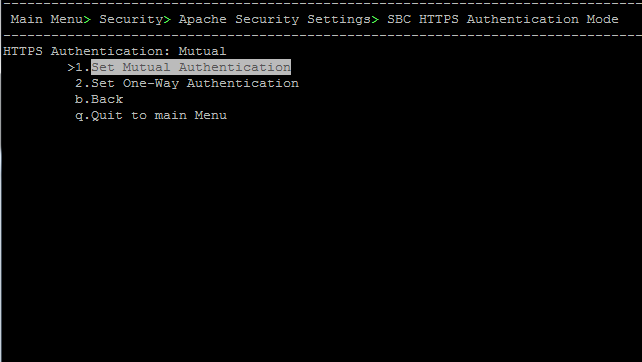
|
2.
|
Choose one of the following options, and then press Enter: |
|
●
|
1-Set Mutual Authentication |
|
●
|
2. Set One-Way Authentication |